

Key Takeaways
Our Verdict
For most households, a hybrid approach strikes the most practical balance — keeping original paper documents for legal and financial records while digitizing everyday references and receipts. Paper-only systems work well for those who distrust technology or have limited digital access, while fully digital setups suit tech-comfortable individuals willing to invest in backup routines.
| Best for | Recommended |
|---|---|
| Those who prefer tactile, low-tech organization | Paper Filing |
| Minimalists comfortable with technology and cloud tools | Digital Filing |
| Most households balancing legal documents with everyday paperwork | Hybrid Filing |
| Renters or small-space dwellers with limited storage | Digital Filing |
Why Your Filing System Matters More Than You Think
A disorganized pile of documents — scattered across kitchen counters, junk drawers, and email inboxes — creates low-grade stress that's easy to underestimate. When a utility bill needs disputing or a warranty needs finding, time spent searching is time lost. The right filing system turns that chaos into calm.
The three main approaches — paper, digital, and hybrid — each have genuine strengths. The goal isn't to find the "perfect" system in the abstract, but to find the one that you'll actually maintain. A sophisticated system that goes unused within two weeks helps no one.
If you're also rethinking how you manage household finances alongside your documents, our piece on envelope budgeting in the digital age explores a related organizational philosophy worth pairing with any filing approach.
Paper Filing: Tangible, Trusted, and Surprisingly Durable
Paper filing has been the household standard for generations — and for good reason. Physical documents don't require electricity, login credentials, or software updates. Pulling a folder from a binder is immediate and intuitive, making it a strong choice for those who prefer a hands-on approach.
Where paper works best
- Legal originals: Birth certificates, Social Security cards, property deeds, and wills often need to be kept in their original paper form for legal validity.
- Medical records: Paper copies can be critical when visiting new providers or during emergencies with no internet access.
- Tax filings: Many households and accountants still rely on printed returns and supporting documents.
Where paper falls short
Physical storage takes up real space. A growing household accumulates paper fast, and without a disciplined purge schedule, filing cabinets can overflow within a few years. Paper is also vulnerable to fire, water damage, and simple loss. Searching through folders manually is slower than a keyword search.
Start With a Simple Folder Structure
Before scanning a single document or labeling a single folder, decide on your category system first. Common top-level categories include Home, Finance, Medical, Insurance, and Vehicles. Keeping categories broad to start prevents over-complication — you can always add subcategories as your system grows. Consistency in naming matters more than sophistication.
For households with significant paper archives, exploring vertical storage vs. drawer systems can help you choose physical filing furniture that fits your space without dominating a room.
Digital Filing: Searchable, Scalable, and Space-Free
A fully digital system stores scanned or downloaded documents on a computer, external drive, or cloud service. The appeal is clear: no physical clutter, instant search, and documents accessible from anywhere with a connection.
Where digital excels
- Receipts and warranties: Easily scanned, tagged by date or category, and searchable by keyword.
- Utility bills and statements: Most providers now offer digital statements — downloading and filing these takes seconds.
- Renters and small-space households: No room for a filing cabinet? Digital eliminates that constraint entirely.
The risks to plan around
A digital-only system is only as reliable as its backup strategy. Hard drives fail; cloud services can change terms or experience outages. The general guidance from data professionals is to follow a 3-2-1 backup approach: three copies of your data, on two different media types, with one stored off-site (such as a cloud service). Our article on cloud storage vs. local storage walks through these trade-offs in detail. Also consider: not all household members may be equally comfortable navigating digital folders, which can create friction in shared households.
For a broader look at digital organization beyond documents, organizing your digital life covers files, photos, and passwords together.
Don't Rely on a Single Digital Copy
Storing all your documents in one location — whether a single hard drive or a single cloud account — creates a single point of failure. If that drive fails or that account is compromised, years of records could disappear. At minimum, maintain a second copy on a separate device or service, and test that your backups are actually recoverable at least once a year.
Hybrid Filing: The Practical Middle Ground
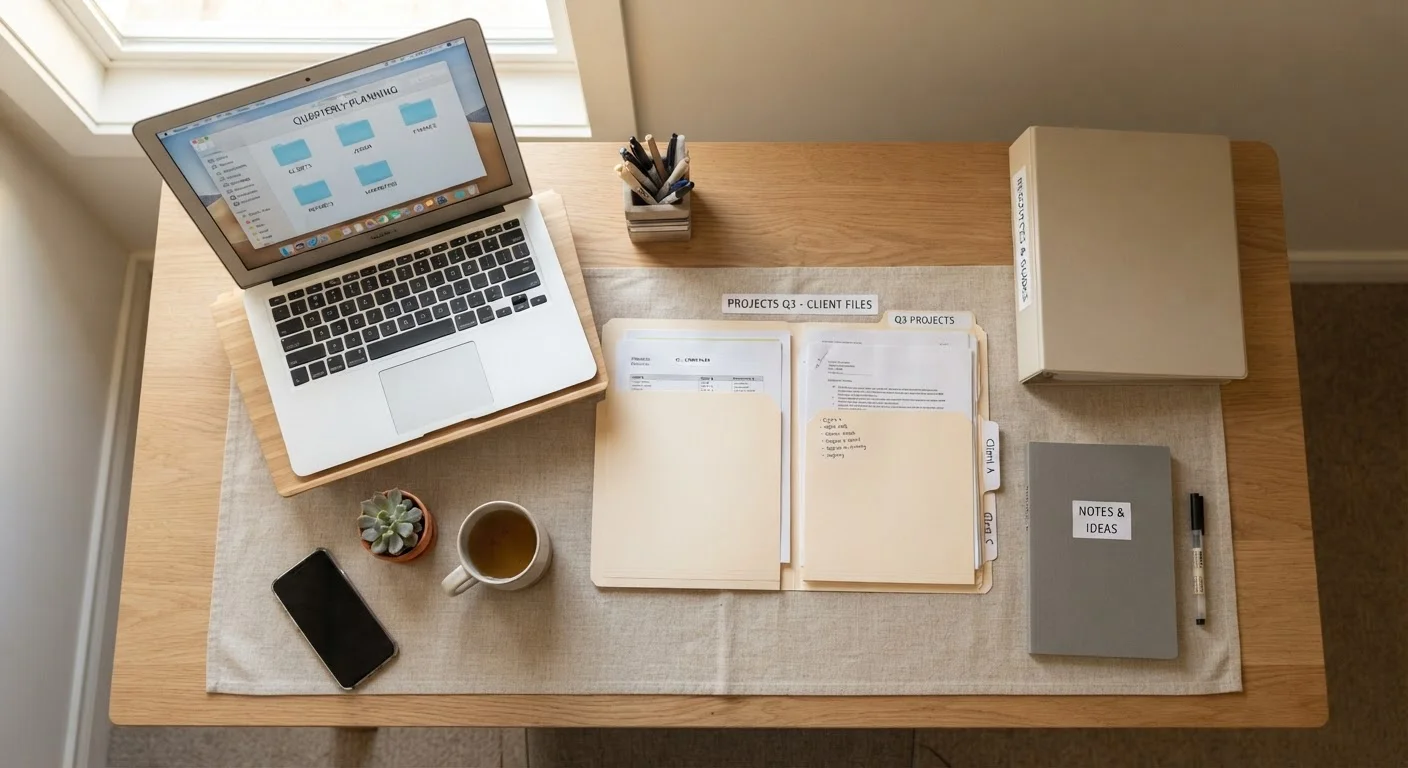
Most households naturally land somewhere between pure paper and pure digital — and building that instinct into a deliberate system is what hybrid filing is about. The core idea is simple: use paper for documents that legally or practically must exist in physical form, and digitize everything else.
| Paper Filing | Digital Filing | Hybrid Filing | |
|---|---|---|---|
| Physical space required | High — cabinets or binders needed | None | Low — minimal physical storage |
| Search speed | Slow — manual browsing | Fast — keyword searchable | Fast for digital, slow for paper |
| Tech skill required | None | Moderate | Low to moderate |
| Risk of loss or damage | Fire, water, theft | Drive failure, account loss | Reduced — redundancy built in |
| Legal document suitability | Excellent — originals preserved | Variable — depends on document type | Excellent — originals kept physically |
| Setup effort | Low initially | Moderate — scanning required | Moderate — combines both |
| Long-term maintenance | Regular purging needed | Backup routine required | Quarterly reviews recommended |
A sample hybrid structure
- Keep paper originals in a fireproof box or locked filing cabinet: vital records, signed legal documents, insurance policies, and original tax returns.
- Scan or photograph everything else — bills, receipts, manuals, medical summaries — and file them in clearly labeled digital folders organized by year and category.
- Schedule a quarterly review to shred paper you no longer need and archive digital files older than the current year.
This approach also pairs well with a broader home organization effort. If you're tackling overlooked storage areas at the same time, taming garages, sheds, and utility rooms offers a useful framework for sorting and labeling across the whole home.