

Key Takeaways
Why Phishing Emails Are Harder to Spot Than Ever
Phishing — the practice of sending deceptive emails designed to trick you into revealing sensitive information or clicking a malicious link — has grown significantly more sophisticated. Attackers no longer rely on broken English and obvious spelling mistakes. Today's phishing messages can closely mimic emails from banks, government agencies, streaming services, and workplace tools, complete with familiar logos and professionally written copy.
Part of what makes this threat so persistent is scale. Cybercriminals can send millions of targeted messages at low cost, and it only takes a small fraction of recipients to fall for the trick for an attack to succeed. Understanding what these messages actually look like — and training yourself to pause before reacting — is the most practical defense most people have. For broader context on staying safe online, the Online Privacy From Scratch guide is a useful starting point.
The Telltale Signs of a Phishing Attempt
No single red flag guarantees an email is malicious, but several signals together should raise your suspicion significantly.
Check the sender's actual email address, not just the display name
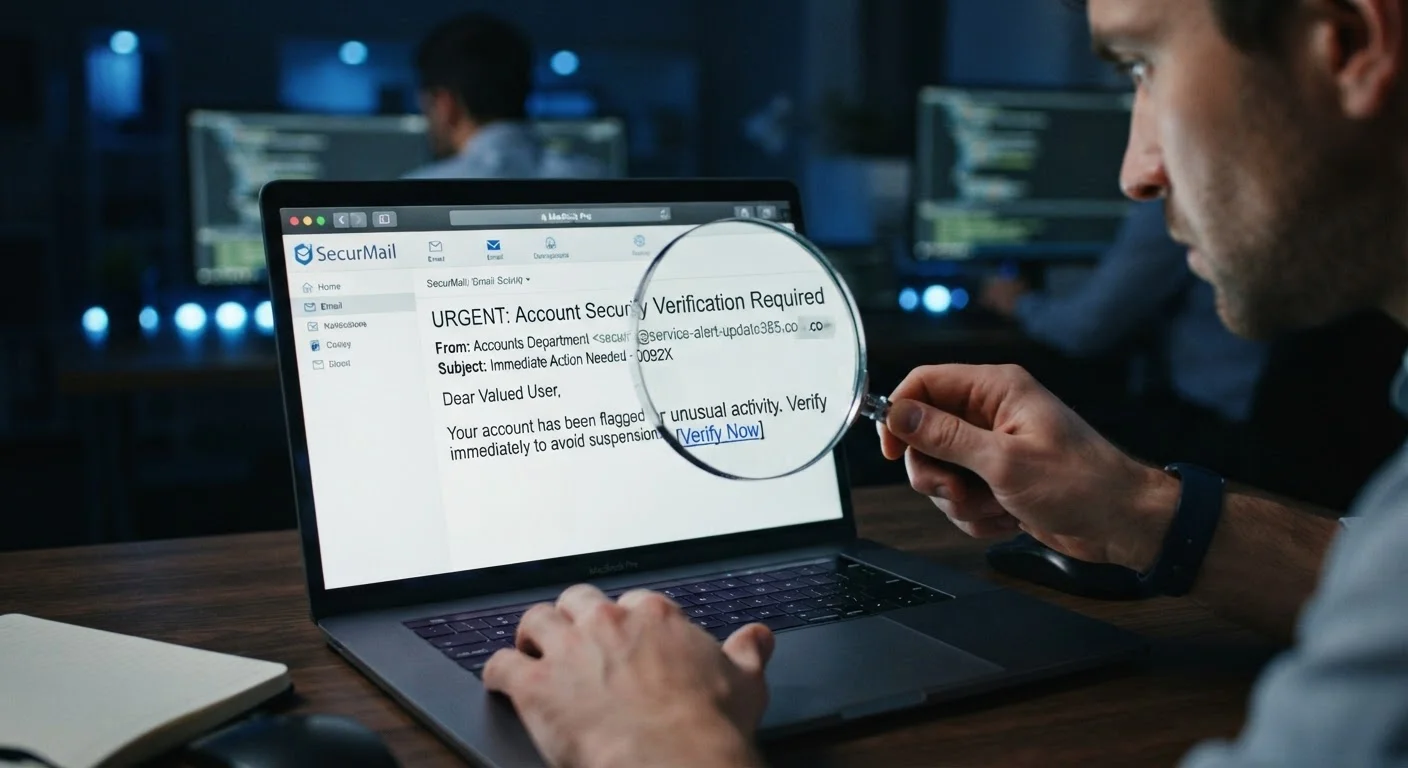
Email clients show a friendly display name by default, but the underlying address may reveal the deception. Attackers often use names like 'PayPal Support' while the actual address is from an unrelated or lookalike domain. The display name field can be set to anything — the address cannot be faked as easily.
Hover over links before clicking to preview the real destination URL
The text of a hyperlink and its actual destination are independent. A link that reads 'Verify your account' could point anywhere. Hovering (on a desktop) or long-pressing (on mobile) usually reveals the true URL. A mismatch between the anchor text and the URL is a strong warning sign.
Treat urgency and fear as manipulation signals, not genuine prompts
Phrases like 'Your account will be closed in 24 hours' or 'Unauthorized access detected — act now' are designed to short-circuit your judgment. Legitimate companies communicate time-sensitive matters through official channels and don't demand immediate action via email alone.
Never submit passwords, payment data, or personal information through an email link
Legitimate organizations — banks, government agencies, employers — do not ask you to enter sensitive data via a link sent in an unsolicited email. Even if the linked page looks authentic, it may be a convincing replica designed to harvest your credentials.
Look for mismatches in branding, grammar, and formatting
While sophisticated phishing emails are polished, many still contain subtle errors: slightly off logo colors, inconsistent fonts, or phrasing that doesn't match a company's usual tone. Comparing a suspicious email with a previous genuine one from the same sender often reveals differences.
Verify unexpected requests by contacting the organization directly
If an email from your bank, employer, or a government agency asks you to take an unusual action, the safest response is to close the email and contact the organization through a phone number or website you already know and trust. This independent verification breaks the chain of deception.
3.4 billion
Phishing emails sent globally per day
According to estimates cited by cybersecurity organizations, phishing remains the most common form of cybercrime by volume.
36%
Of data breaches involving phishing
Verizon's Data Breach Investigations Report has consistently found phishing to be one of the leading initial attack vectors in confirmed breaches.
Habits That Protect You Before and After You Read
Good email hygiene isn't just about reading carefully — it's about building routines that reduce your exposure. These habits work in combination with your ability to spot suspicious signals.
It's also worth understanding that phishing isn't limited to email. Text-message scams (smishing) and phone-based attacks (vishing) use the same psychological tactics. The plain-language reference on phishing, smishing, and vishing covers how each variant works. And because phishing is one path that leads to compromised accounts, it helps to understand why accounts get hacked even when you're careful.
If you regularly use public Wi-Fi, note that the risks extend beyond phishing — public Wi-Fi carries its own hidden dangers that can expose your session even when you haven't clicked anything suspicious.
When You're Not Sure, Don't Click
If an email triggers any doubt — even a vague one — treat that instinct as useful information. Close the email and verify the request through an independent channel. The few extra minutes this takes are almost always worth it. You can also manage your inbox more deliberately with these inbox control strategies to reduce the volume of unfamiliar emails reaching you in the first place.